QuerySurge + Microsoft Power BI
Automated Data Validation Across Power BI
Dataflows, Datasets, and Dashboards
QuerySurge + Microsoft Power BI
Automated BI Report Testing for Trusted Analytics
Microsoft Power BI delivers fast, visual analytics. But the quality of any dashboard depends on the accuracy of the underlying data and the logic behind every report transformation.
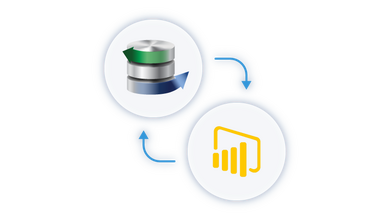
QuerySurge extends Power BI with automated, end-to-end data validation that ensures every metric, filter, and drill-down view is backed by trusted data.
QuerySurge validates the entire path of your BI reporting process, from source systems to staging layers to semantic models to published dashboards.
With Power BI’s scale and QuerySurge’s automated test execution and analytics, teams can deploy dashboards with confidence and catch data issues before they reach business users.
Why QuerySurge + Power BI
Continuous trust in your analytics
Power BI provides rich visualization layers, but it does not test whether the data feeding those visuals is accurate. QuerySurge fills that gap by validating every step of the pipeline feeding Power BI datasets and reports.
Automated testing for complex transformations
Power BI often includes DAX logic, Power Query transformations, merges, and custom calculations. QuerySurge automatically compares source data to transformed output to confirm that business rules, joins, calculations, and aggregations are correct.
Shift-left and shift-right coverage
Integrate QuerySurge into your DevOps for Data workflows to test data before and after it reaches Power BI. Validate datasets during development, and schedule continuous production monitoring to ensure dashboards stay accurate as data volumes and logic evolve.
Audit-ready results
QuerySurge’s Data Intelligence Reports and Analytics Dashboards provide a full audit trail of tests, failures, and data differences. This is especially valuable for regulated industries that require proof of data accuracy behind published reports.
How QuerySurge + Power BI Works
Connect to Power BI Datasets or Underlying Data Sources
QuerySurge connects to SQL Server, Azure SQL Database, Azure Synapse, files, cloud stores, and other systems feeding your Power BI models. You can validate data both before ingestion and after Power BI transforms it.
Utilize the Power BI Wizard
QuerySurge’s Power BI Wizard makes it simple to validate Dataflows, semantic models, and report outputs. It guides users through selecting workspaces and datasets, pulls transformed tables directly into QuerySurge, and automates comparisons between source data and Power BI results.
Extract and Validate Power BI Output
QuerySurge retrieves transformed data from Power BI’s semantic layer, Dataflows, or the warehouse/lake sources that serve as the Power BI model’s output tables. Query pairs compare expected vs. actual values across dimensions, measures, and aggregated results.
Test DAX Logic and M‑Code Transformations
By validating aggregated results and computed metrics, QuerySurge verifies whether DAX calculations, Power Query steps, and applied transformations behave as intended.
Automation and CI/CD Integration
Trigger QuerySurge tests through Azure DevOps, Jenkins, GitHub Actions, or any CI/CD platform. Automatically test every modified dataset, report refresh, or model deployment.
Publish Results to Teams
QuerySurge sends validated test results, data diffs, and analytics to your engineering, BI, and data governance teams. You can schedule overnight test cycles or trigger them on Power BI dataset refresh.
Key Benefits
Benefit |
Why It Matters |
|---|---|
End-to-end validation of Power BI pipelines |
Validate data from sources to Power BI Dataflows, semantic models, and published dashboards. |
Automated DAX and transformation testing |
Confirm calculations, joins, filters, and aggregations produce accurate values at scale. |
High-volume, high-speed comparisons |
QuerySurge handles large datasets and parallel execution for faster BI testing cycles. |
CI/CD and DataOps integration |
Test data quality automatically with every code change, dataset refresh, or deployment. |
Audit-ready reporting |
Detailed result logs and visual dashboards help BI teams meet compliance and governance requirements. |
Reduce production defects |
Find data issues early so only trusted data reaches Power BI users. |
Scales across the Microsoft ecosystem |
Works seamlessly with Azure SQL, Synapse, Data Lakes, Fabric, and other Microsoft data services. |
Ready to trust your Power BI data?
Continuously automate testing, accelerate releases, and gain confidence in every visual and dataset.